Toolbox Chaos practical guide
Create a Custom System
Define a continuous flow or discrete map without writing Python, validate its restricted expressions, simulate it, and exchange the definition as JSON.
Objective
What you will accomplish
Turn a clearly stated set of equations into a safe, portable exploratory GUI experiment while keeping it distinct from the curated catalog.
Before you begin
- Write one state variable and one right-hand-side or update expression for each dimension.
- Choose numeric parameter values, an initial state of matching length, and a divergence threshold appropriate to the scale.
- Use only the arithmetic operators and mathematical functions accepted by the restricted expression parser.
Reference outputs
What these views can show
Procedure
Step-by-step workflow
-
Start from an example
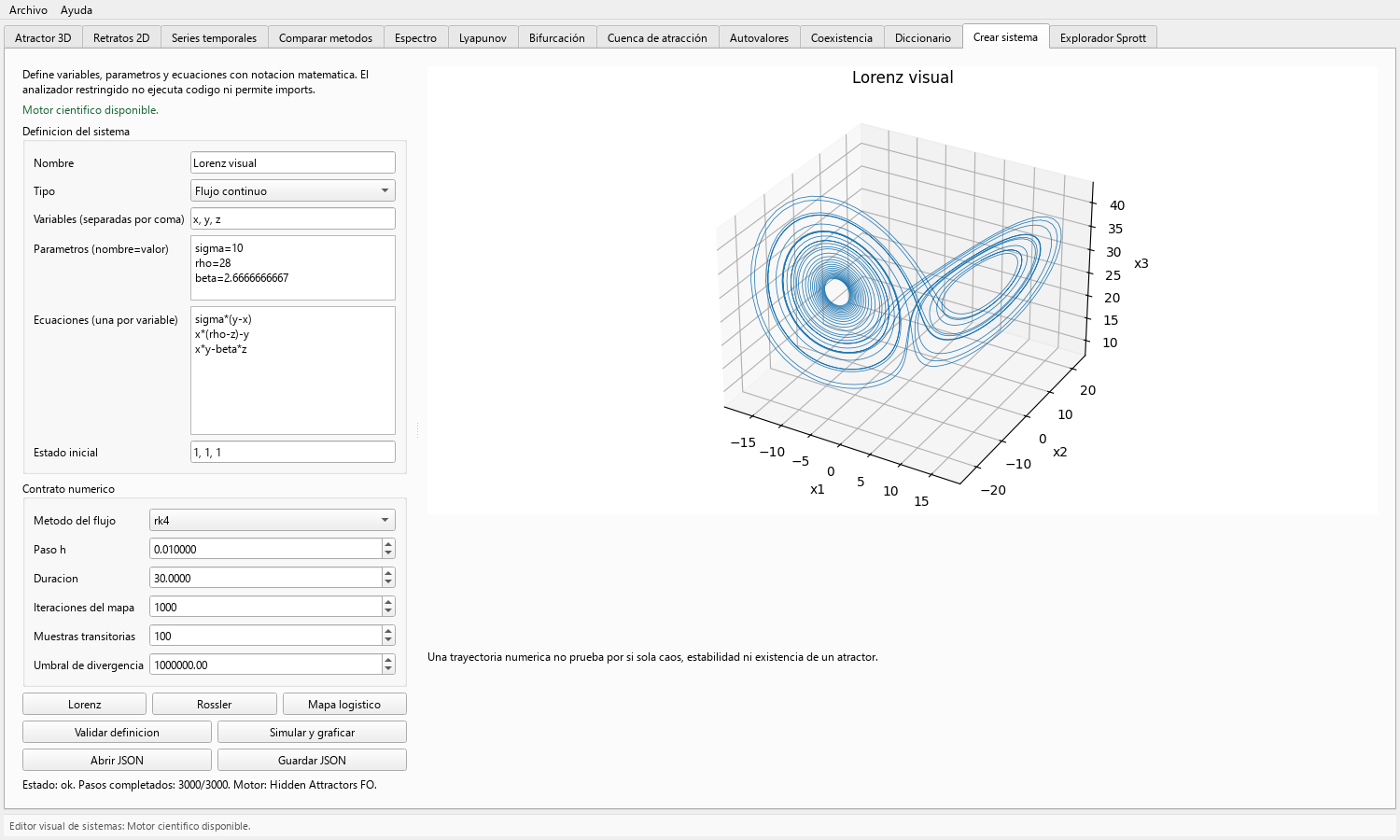
Press Lorenz, Rössler, or Mapa logístico to load a complete definition. Inspect how variables, name=value parameters, one-equation-per-line input, and initial state correspond.
Simulate the unchanged example once to confirm the editor and mathematical engine are available in the installed build.
-
Define the model identity
Enter a descriptive name and select Flujo continuo or Mapa discreto. List variables separated by commas in the same order used by the equations and initial state.
A user-defined model remains a user definition; it is not automatically added to the curated system selector.
-
Enter parameters and equations
Write one numeric parameter assignment per line and one expression per state variable. Avoid ambiguous implicit multiplication and verify signs and parentheses against the source equations.
The restricted parser rejects imports, attribute access, and general code execution. A rejected expression should be corrected, not bypassed.
-
Set the numerical contract
For a flow, select RK4 or Heun, step, and duration. For a map, set iteration count. Choose transient samples and a divergence norm threshold for plotting and safe termination.
The transient setting affects the displayed result; preserve it in the experiment record.
-
Validate before simulating
Press Validar definición and resolve any variable, parameter, equation-count, syntax, or initial-state mismatch.
Then press Simular y graficar. The output adapts to one-dimensional, two-dimensional, or three-or-more-state definitions using an appropriate view.
-
Exchange the definition
Use Guardar JSON to preserve the canonical validated definition and Abrir JSON to restore it later.
Keep the JSON with the figure and numerical settings. Revalidate after loading, especially when sharing across application versions.
Toolbox Chaos and the mathematical engine
Toolbox Chaos owns the no-code form, interaction, plotting, JSON exchange, and exploratory workflow. A separately packaged Hidden Attractors FO engine can validate and simulate compatible definitions behind the interface. That delegation does not expose the engine's hidden-attractor localization research workflows in Toolbox Chaos.
Result
Expected output
- A validated user definition with matching variables, equations, parameters, and initial state.
- A finite trajectory result or an explicit divergence/error status under the chosen numerical contract.
- A JSON model file that can be reopened and audited independently of a screenshot.
Interpretation
How to read it
Successful validation establishes structural and syntax compatibility, not physical correctness or mathematical validity of the proposed model.
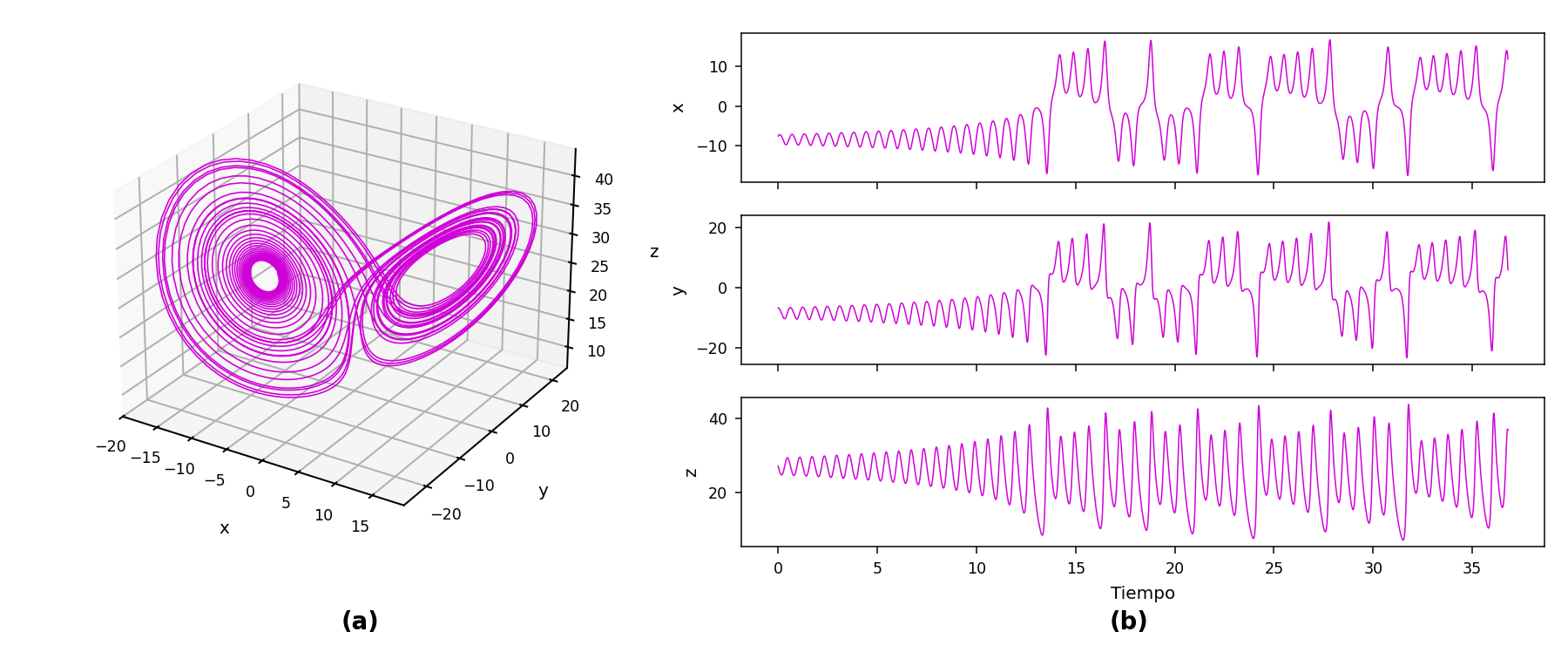
A plotted trajectory is a numerical realization of the entered equations. It does not automatically establish chaos, stability, attraction, novelty, or agreement with a reference implementation.
Export
Reproducibility checklist
- Save the JSON definition and a plain-language source or citation for the equations.
- Record flow or map, method, step or iterations, duration, transient, divergence threshold, and application version.
- Keep any external comparison or validation results separate from the GUI-generated trajectory.
Applications
Where this workflow helps
- Rapid prototyping of low-dimensional nonlinear flows and maps.
- Classroom exercises that vary equations or parameters without editing Python.
- Sharing a compact model definition among collaborators before implementing a specialized research pipeline.
Limits
What it does not establish
- A custom definition does not automatically acquire catalog-specific equilibria, Jacobians, basin classifiers, bifurcation presets, or native optimization.
- Only the methods and mathematical functions exposed by the editor are part of this GUI workflow.
- The editor does not expose Hidden Attractors FO localization routines and must not be described as locating hidden attractors.